EveryHuawei
No Result
View All Result
  • MateBook
  • Tech
    • Gadgets
  • Tech Specs
    • MateBook
  • AI
  • Review
  • News
  • Huawei
  • Gaming
  • MateBook
  • Tech
    • Gadgets
  • Tech Specs
    • MateBook
  • AI
  • Review
  • News
  • Huawei
  • Gaming
No Result
View All Result
EveryHuawei
No Result
View All Result
ADVERTISEMENT
Home News

Use Phone Clone to Move Data to Your New Device

Jordan Luke Obwana by Jordan Luke Obwana
11 months ago
in News
Use Phone Clone to Move Data to Your New Device
ADVERTISEMENT

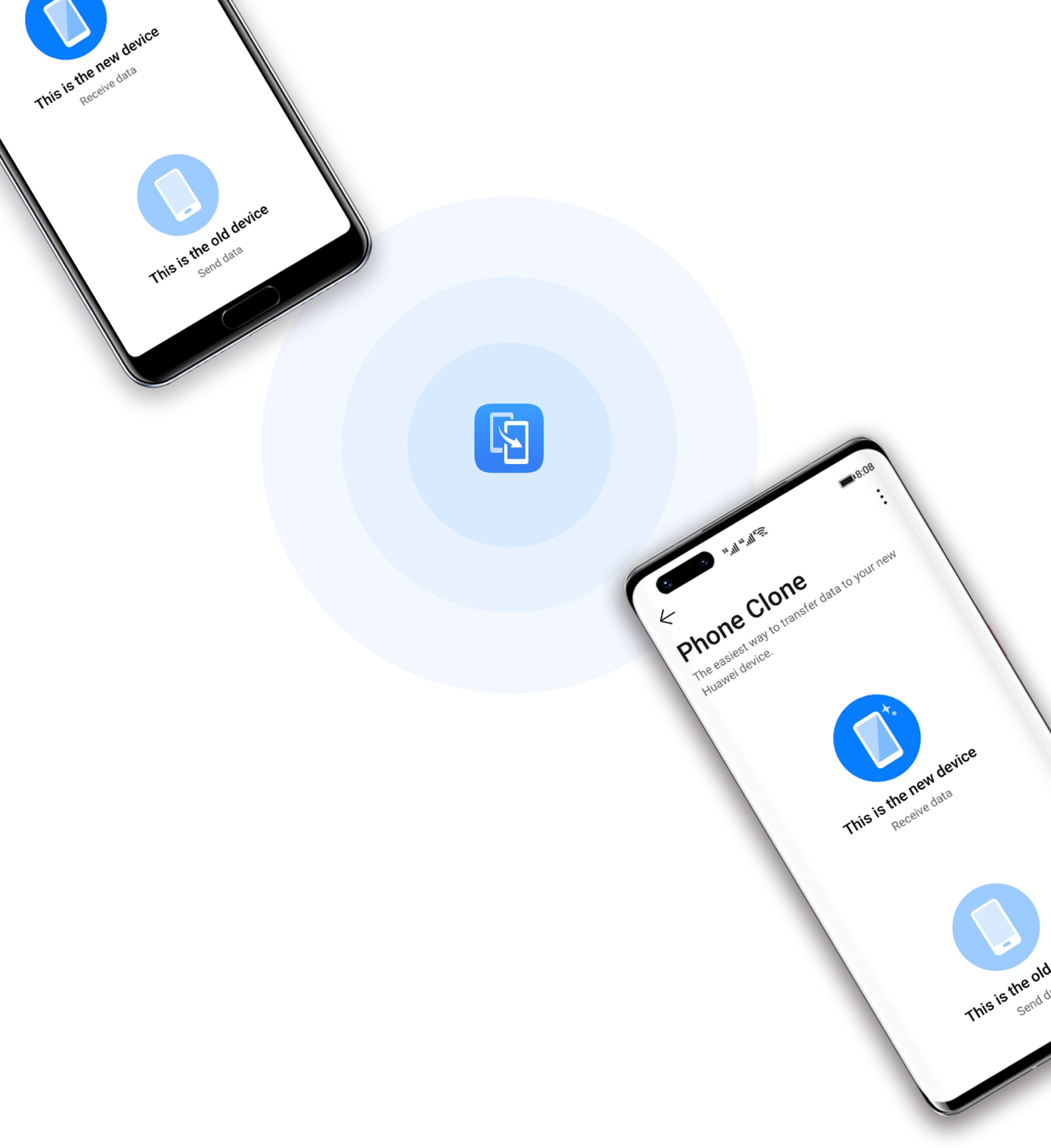
Switching phones doesn’t have to mean losing your contacts, photos, or important files. With Phone Clone, you can move your data quickly and securely from your old device—whether it’s Android or iOS—to your new phone without any hassle.

ADVERTISEMENT

Transfer Data from an Android or Huawei Device

Moving your content from an Android or Huawei phone is fast and simple using Phone Clone. Follow these steps:

  1. On your new phone, open the Phone Clone app, or navigate to
    Settings > System & updates > Phone Clone.
  2. Select This is the new device, then tap Huawei or Other Android.
  3. On your old phone, download and install the Phone Clone app from AppGallery or another app store.
  4. Launch the app and choose This is the old device.
  5. Connect the devices by either scanning the QR code or manually pairing.
  6. Choose the data you want to transfer—contacts, calendar, photos, videos, and more.
  7. Tap Next > Transfer to begin the process.

Thanks to this method, your files are migrated efficiently without needing internet access or cloud storage. All transfers happen directly between the two phones.

Migrate Data from an iPhone or iPad

If you’re moving from an iOS device, Phone Clone still has you covered:

  1. On your new Huawei phone, open the Phone Clone app, or go to
    Settings > System & updates > Phone Clone.
  2. Tap This is the new device, then choose iPhone/iPad.
  3. On your old iPhone or iPad, download Phone Clone from the App Store.
  4. Open the app, select This is the old device, and follow the instructions to connect both devices.
  5. Select the data types to transfer—such as contacts, photos, and videos.
  6. Follow the remaining prompts to complete the transfer.

Using this process, users can shift essential data from Apple devices to Huawei phones with ease. The connection is secure, and no cloud accounts are needed.

ADVERTISEMENT

Note: Always check the App Store listing for the latest version of Phone Clone compatible with your iOS version.

Why Use Phone Clone?

  • No data cables required
  • Works offline through Wi-Fi hotspot pairing
  • Cross-platform support for iOS and Android
  • Secure direct connection, no cloud backups needed
  • Fast transfers, even for large files

Whether you’re upgrading or switching platforms, Phone Clone makes your transition smoother.

READ: How To Connect Huawei Wearable Device to iOS in Minutes
Tags: Android to Android data migrationclone phone datadata transfer appHuawei Phone CloneiOS to Android transferPhone Clonetransfer contacts to new phone
ADVERTISEMENT
Previous Post

HUAWEI MatePad 11.5-inch S: PaperMatte Display Tablet

Next Post

US Chip Export Rules—Could Huawei Finally Catch a Break?

Related Posts

Huawei Launches Watch Fit 5 Series Globally
News

Huawei Launches Watch Fit 5 Series Globally

by EveryHuawei
May 7, 2026
0

Huawei has officially launched the Huawei Watch Fit 5 series globally during its “Now Is Your Spark” event in Bangkok,...

Read moreDetails
Huawei Pura 90 Multispectral Camera Surprise
Huawei

Huawei Pura 90 Multispectral Camera Surprise

by Jordan Luke Obwana
April 21, 2026
0

The Huawei Pura 90 multispectral camera is emerging as one of the most unexpected innovations in Huawei’s latest smartphone lineup,...

Read moreDetails
Huawei Pura 90 Pro Max Camera Breakthrough
News

Huawei Pura 90 Pro Max Camera Breakthrough

by Jordan Luke Obwana
April 21, 2026
0

The Huawei Pura 90 Pro Max camera is pushing smartphone photography into new territory, introducing industry-first stabilisation and imaging technologies...

Read moreDetails
Huawei Pura X2 Battery Upgrade Leaked
Huawei

Huawei Pura X2 Battery Upgrade Leaked

by Jordan Luke Obwana
March 17, 2026
0

The Huawei Pura X2 battery upgrade reportedly targets 6000mAh capacity, representing a substantial improvement over the previous generation. Specifically, this...

Read moreDetails
Huawei Mate 80 GTS Launch Set for March 23
Huawei

Huawei Mate 80 GTS Launch Set for March 23

by Jordan Luke Obwana
March 17, 2026
0

The Huawei Mate 80 GTS launch may occur March 23, according to industry tipsters following Huawei's official event announcement. Specifically,...

Read moreDetails
HarmonyOS Wins iF Design Award
News

HarmonyOS Wins iF Design Award

by Jordan Luke Obwana
March 10, 2026
0

HarmonyOS iF Design Award recognition highlights Huawei’s growing influence in software design and user experience innovation. The company’s self-developed operating...

Read moreDetails
Load More
Next Post
US  Chip Export Rules—Could Huawei Finally Catch a Break?

US Chip Export Rules—Could Huawei Finally Catch a Break?

Zain KSA and Huawei Unveil Riyadh Antenna to Power the Future of Mobile in Saudi Arabia

Zain KSA and Huawei Unveil Riyadh Antenna to Power the Future of Mobile in Saudi Arabia

ADVERTISEMENT
  • About
  • Terms of Use
  • Advertise
  • Contact
  • DMCA
  • Privacy

© 2026 Every Huawei

No Result
View All Result
  • About Us
  • Advertise With EveryHuawei
  • Contact Us
  • DMCA Policy
  • Privacy Policy
  • Terms of Use

© 2026 Every Huawei